Nova Launcher for Android
What Is Nova Launcher?
Nova Launcher has been the go-to Android home screen replacement for over a decade, and it’s still the best way to make your phone feel like yours. Made by TeslaCoil Software, it’s the launcher that Android enthusiasts recommend when someone asks “how do I make my phone look like that?”
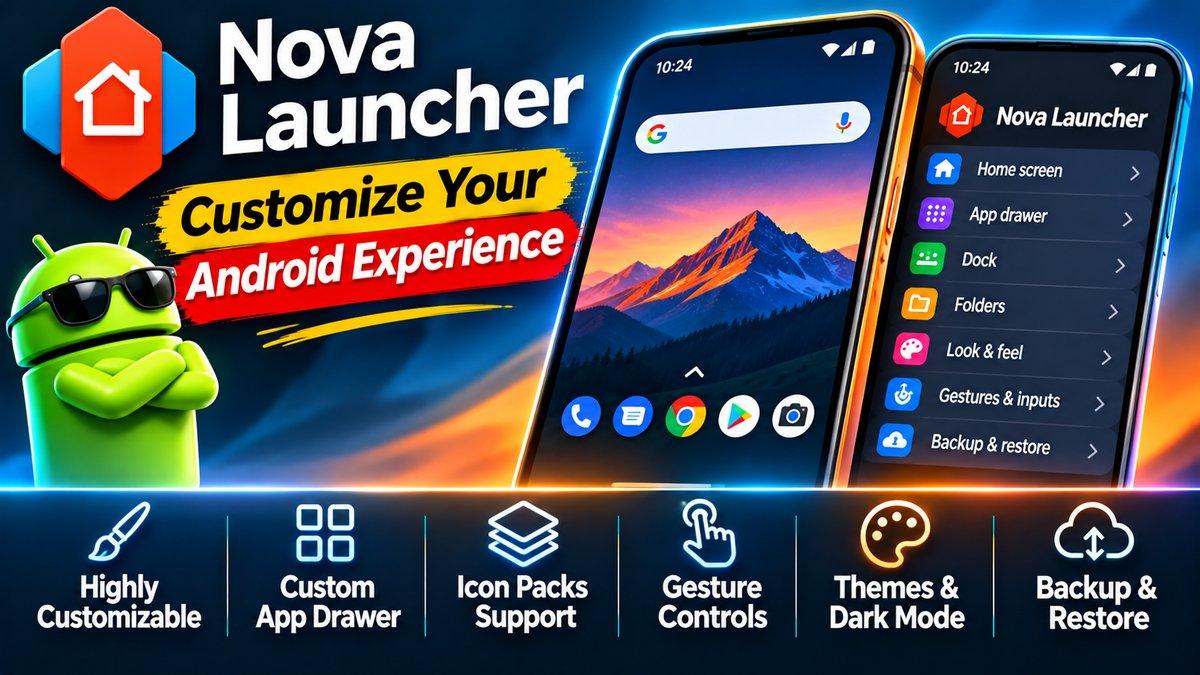
Custom icons, grid sizes, animations, gestures, app drawer tabs, unread badges — if you can think of a home screen tweak, Nova probably does it. It’s fast, too: lighter than most manufacturer skins, with buttery scrolling and deep backup options so you never lose your setup when switching phones.
The free version covers most customization needs. For the power-user features, there’s a paid Prime upgrade — but plenty of people never need it.
Key Features
Total home screen control is the core promise. Change the grid size (want 7 columns of tiny icons? go ahead), resize any widget, adjust icon sizes, tweak folder layouts. Your home screen stops being a template and becomes a canvas.
Gestures turn your home screen into a shortcut machine. Swipe up for the app drawer, double-tap to lock the screen, pinch to open search — every gesture is assignable. Once your muscle memory adapts, you navigate your phone without thinking.
App drawer tabs and folders bring order to app chaos. Group apps into tabs — Social, Work, Games — or nest them in folders. With hundreds of apps installed, this is the difference between finding things and scrolling endlessly.
Unread badges show counts on your icons without needing the app’s own widget. Missed messages, pending emails — visible at a glance, styled the way you like.
Icon packs and themes are fully supported. The Play Store has thousands of Nova-compatible icon packs, from minimal to wild. One tap reskins your entire phone.
Backup and restore saves your entire setup — layout, settings, widgets — to a file. Switch phones, restore the backup, and your home screen is exactly as you left it. Anyone who’s rebuilt a home screen from scratch knows how valuable this is.
Speed is a feature in itself. Nova is famously lighter than the heavy skins that ship on many phones. Animations stay smooth, scrolling stays fluid, and older phones feel noticeably snappier.
Why Nova Stands Out
Longevity. Launchers come and go; Nova has been refined for over a decade. Every rough edge has been sanded down, every common request has been added. It shows in the polish.
It also respects the Android philosophy: your phone, your rules. Manufacturer launchers lock you into their look. Nova hands you the keys. That freedom is why it has one of the most loyal user bases in Android.
And unlike many “customization” apps, it doesn’t achieve this by being bloated or ad-ridden. It’s a clean, professional tool that does one job — your home screen — better than anyone else.
New users sometimes bounce off the settings — there are a lot of them. That’s fair. But you don’t need to configure everything on day one. Start with the basics: pick an icon pack, set your grid, arrange your home screens. Then explore one new setting a week. In a month, you’ll have a home screen nobody else’s phone has, and you’ll know exactly how you built it.
Is Nova Launcher Free?
The base app is free and covers the vast majority of customization features. Nova Launcher Prime is a paid upgrade that adds gestures, unread badges, custom drawer groups, and a few extra animations. Check the Play Store listing for current pricing.
How to Download Nova Launcher
Install from the official Play Store link below, press the home button, and select Nova as your default launcher. Then spend twenty minutes exploring the settings — that’s where the good stuff hides.
One tip: set up a backup (Nova Settings → Backup) as soon as your layout looks right. Future-you, setting up a new phone, will be grateful.
A custom home screen pairs nicely with a custom messaging setup — see our WhatsApp guide — and if Nova’s speed boost has you thinking about performance, our old-device upgrade guide applies the same philosophy to your other hardware.
Download: Nova Launcher (official link)