
Easypaisa for Android
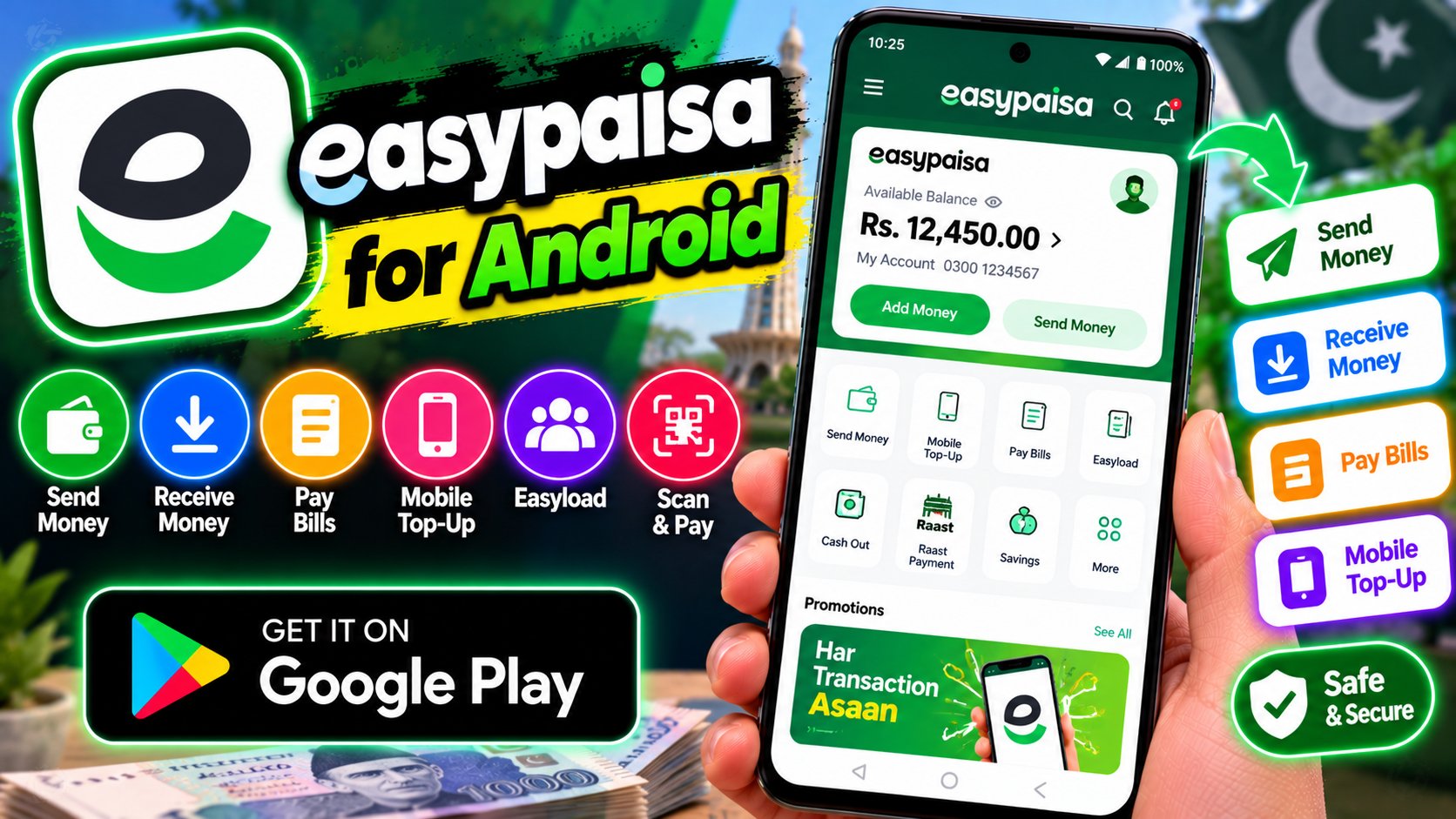
Easypaisa is Pakistan’s leading digital bank, and the app is how millions manage money without ever visiting a branch. Send money to any bank or wallet, pay utility bills, buy mobile load and bundles, and pay by scanning QR codes at shops across the country. It works for everyone — no bank account needed to start, just a mobile number. The app has grown into a full financial toolkit: savings accounts with profit, instant nano-loans, insurance products, and international remittances from abroad. Biometric login and instant transaction alerts keep things secure, and the transaction history makes tracking spending easy. For daily life in Pakistan — splitting bills, paying the electricity, sending money home — it’s close to essential. The app is free and works on any smartphone.
Key features
- Money transfers to any bank, wallet, or mobile number
- Bill payments, mobile load, and QR payments
- Savings, loans, and insurance built in
- Biometric login and instant transaction alerts; free to use
What it does and why people use it
At its core, Easypaisa turns a phone into a wallet and a bank branch in one place. That matters in a country where a trip to a bank can eat up half a day, and where many people send money to family in another city every month. Instead of standing in a queue, you open the app, pick a contact or an account, type the amount, and confirm. The money moves, and both sides get a record of it.
People lean on it for different reasons. Some use it mainly to pay bills on time without keeping cash at home. Others use it to receive money from abroad or to send support to parents in their hometown. Small shopkeepers like the QR option because a customer can pay without change, cards, or a card machine. And for anyone who has never had a traditional bank account, the low barrier to entry is the whole point: a mobile number gets you started, and you can build from there.
It also helps to think of Easypaisa as more than a transfer tool. The savings, loan, and insurance options sit in the same app as the everyday payments, so you don’t need a separate app for each job. That keeps things simpler, especially on a phone with limited storage or a patchy connection.
Key features explained in detail
Money transfers. You can send money to another Easypaisa wallet, to a bank account, or straight to a mobile number. That range is useful because the person on the other end doesn’t have to use the same service you do. Before you confirm, check the name shown on screen and the amount twice — a rushed tap is the most common cause of a wrong transfer.
Bill payments, mobile load, and QR payments. Utility bills, mobile top-ups, and bundles live in the same section, so a monthly routine — electricity, gas, internet, phone load — can be done in a few minutes. QR payments work the other way round too: open the scan option, point the camera at the code at a shop counter, and confirm the amount. If the code looks damaged or the amount on screen doesn’t match the bill, stop and ask the shopkeeper before you pay.
Savings, loans, and insurance. Savings accounts in the app are built for small, regular saving rather than large lump sums, and profit is handled under the account’s own terms, which you should read in the app before you commit money. Nano-loans are short, small loans meant for a tight week, not for long-term borrowing — check the repayment date and any charges first. Insurance products follow the same rule: read what is covered, what is not, and how a claim is made.
Security. Biometric login means your fingerprint or face check opens the app, which is harder for a stranger to guess than a short PIN on its own. Instant alerts tell you right away when money moves, so you can spot a transaction you don’t recognise and act on it quickly. Those two habits — a strong lock on the phone itself, and reading every alert — do more for safety than any single setting.
How to download and install safely from the official store
The safest way to get Easypaisa is from the Google Play Store, using the official listing linked at the end of this article. Search for the app by name, check that the developer is shown as Easypaisa Bank Limited, and install it from that listing only. Avoid APK files shared on random websites or in chat groups: a copied file can look right and still carry altered code, and the Play Store version gets updates and checks that a side-loaded file does not.
After install, open the app and follow the on-screen sign-up steps with your own mobile number. Keep your phone’s screen lock on, don’t share one-time codes with anyone — not even someone claiming to be from support — and use the Play Store to update the app when an update is offered. If you ever switch phones, install from the store again rather than copying an old file across.
How to use the main features
Start on the home screen and work through one job at a time. To send money, choose the transfer option, pick the destination type — wallet, bank, or mobile number — enter the details, and review the summary screen before you confirm. To pay a bill, choose the biller, enter the consumer or reference number exactly as it appears on your paper bill, and save it for next month so you don’t have to retype it.
For mobile load, pick your network, choose an amount or bundle, and confirm. For a QR payment, use the scan option and confirm the merchant name and amount on the review screen. After any payment, the transaction history is your receipt: open it, check the status, and take a screenshot or note the reference if you need it for a shop or a biller.
If you also move money between different wallets, our guide to JazzCash for Android covers the other wallet many Pakistanis keep on the same phone. Comparing the two on your own usage — which billers you pay, who you send money to — is a better guide than picking one on reputation alone.
Tips for getting the most out of it
- Save your regular billers and contacts once, so monthly payments take seconds and typos drop away.
- Check the transaction history each week. A quick scan catches a double payment or a forgotten subscription-style charge early.
- Turn on biometric login and keep your phone’s own lock strong. If you lose the phone, that pair buys you time to react.
- Never send money to a number that messages you out of the blue asking for a “refund” or a “verification” payment. Real support does not ask for that.
- Keep a small buffer in the wallet for bills, and move larger savings only after you have read the account terms in the app.
- When a payment fails but money leaves your wallet, wait for the status to settle, check history, and contact support through the app with the reference number rather than retrying blindly.
Frequently asked questions
Do I need a bank account to use Easypaisa? No. The original post notes you can start with just a mobile number, and the app is built for people without a traditional account.
Is the Easypaisa app free? The app itself is free to download and use, as listed in the original features. Some transactions or services may carry their own charges, which the app shows before you confirm.
Can I send money to someone who uses a different bank or wallet? Yes, transfers go to banks, wallets, and mobile numbers, so the receiver does not have to be on the same service.
What should I do if a payment goes to the wrong number? Check the transaction history for the reference, don’t send a second payment to “fix” it on your own, and contact support through the app as soon as you can with the details.