Tablet vs Laptop 2026: Which Should You Buy? An Honest Buying Guide
Stuck between a tablet and a laptop? You’re not alone. The tablet vs laptop 2026 debate is more confusing than ever, because tablets keep getting laptop features and laptops keep getting lighter. So which one deserves your money this year? Here’s the honest answer: it depends entirely on what you actually do with a device — and this guide will help you figure that out in about five minutes.
Tablet vs Laptop 2026: The Quick Answer
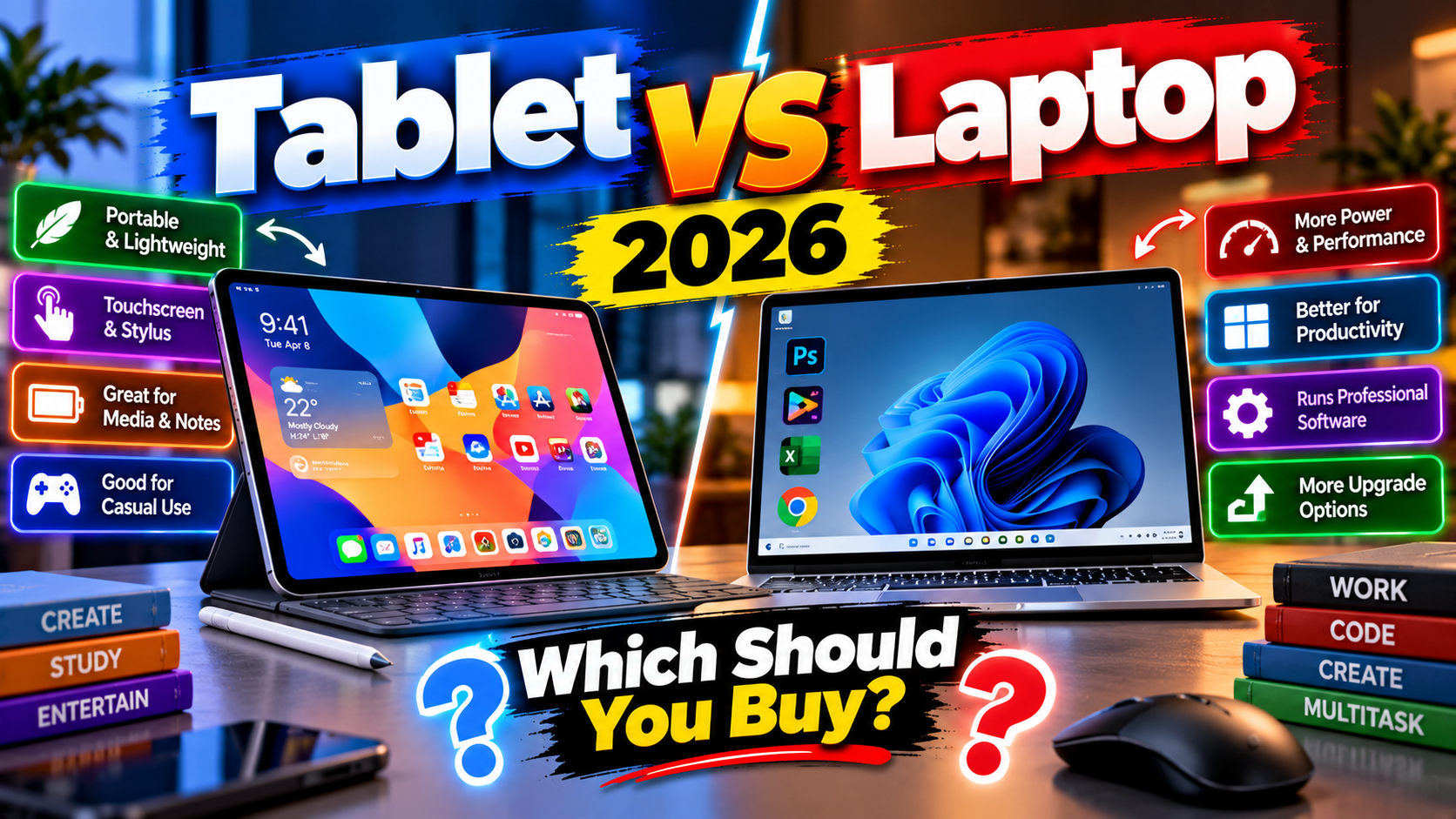
Let’s cut to the chase. Buy a tablet if most of your screen time is watching videos, reading, browsing, drawing, or taking handwritten notes with a stylus. Buy a laptop if you do real work — documents, spreadsheets, coding, editing, or anything that needs desktop software and serious multitasking.
Still with me? Good. Because the details matter, and picking wrong means either an underpowered laptop replacement or an overpriced video screen.
When a Tablet Makes More Sense in 2026
Tablets have quietly become excellent at one thing: being the device you actually enjoy picking up. They’re lighter than any laptop, their batteries last longer on average, and for media consumption nothing beats them. Watching movies on a tablet in bed? No contest.
They’ve also become genuinely useful for creative work. If you’re into digital drawing, sketching, or annotating PDFs, a tablet with a stylus — think iPad with Apple Pencil or a Samsung Galaxy Tab with the S Pen — is simply better than any laptop for that job. Students love them for handwritten notes, and e-book readers love them as the ultimate reading device.
Check out the latest options in our gadgets section if you want to see what’s worth your attention this year.
When a Laptop Is Still the Smarter Buy in 2026
Now the other side. If you earn your living on a computer — or study in a way that needs real software — a laptop wins, full stop. Desktop operating systems run the full versions of Office, Adobe apps, development tools, and countless professional programs that tablets either lack or only offer in watered-down mobile versions.
Multitasking is the other big one. A laptop lets you run a browser with twenty tabs, a spreadsheet, a chat app, and a music player all at once without breaking a sweat. Try that on a tablet and you’ll feel the difference fast.
Then there are ports. Laptops give you USB ports, HDMI, SD card slots — the unglamorous stuff that actually matters when you need to plug in a drive, connect a monitor, or transfer files from a camera. Browse our PC software guides to see the kind of desktop tools that simply don’t exist on tablets.
Tablet vs Laptop 2026: The Price Reality
Here’s something nobody tells you upfront: once you add the accessories, the price gap shrinks fast. A tablet plus a decent keyboard case plus a stylus often costs nearly as much as a perfectly good mid-range laptop. And at that point, ask yourself what you’re really getting.
On the flip side, a basic tablet for media and reading can cost a fraction of even a budget laptop. If all you need is Netflix, YouTube, e-books, and web browsing, there’s no reason to pay laptop money. Match the device to the job, not to the hype.
The “Both” Middle Ground
There’s a third option people forget: you don’t have to pick a side. Plenty of people own a cheap tablet for the couch and a laptop for the desk. A budget tablet handles all the fun stuff, while the laptop handles the work stuff. Total cost? Often less than one “do everything” premium tablet with all its accessories.
Two-in-one convertibles like Microsoft’s Surface range try to be both in a single device, and some pull it off well. But be honest with yourself about which mode you’ll actually use more — most people end up using convertibles as laptops 90% of the time.
Making Your Tablet vs Laptop 2026 Decision
So, decision time. Grab a tablet if you’re buying for entertainment, reading, drawing, or note-taking — and you already have access to a real computer when work calls. Grab a laptop if this device needs to handle your job, your studies, or your creative projects.
Still torn? Ask yourself one question: what’s the hardest thing I’ll do on this device? If the answer involves desktop software, heavy multitasking, or ports — laptop. If it’s watching, reading, and sketching — tablet. That’s really all there is to it. For more buying advice, explore our reviews section before you spend a single rupee.
Related Reading
Keep exploring: How to Make Your Old Laptop Feel New Again, Smartwatch Buying Guide 2026: 6 Things That Actually Matter, and Budget Mechanical Keyboards: 5 Worth Buying in 2026.