The Only 7 Browser Extensions You Really Need in 2026
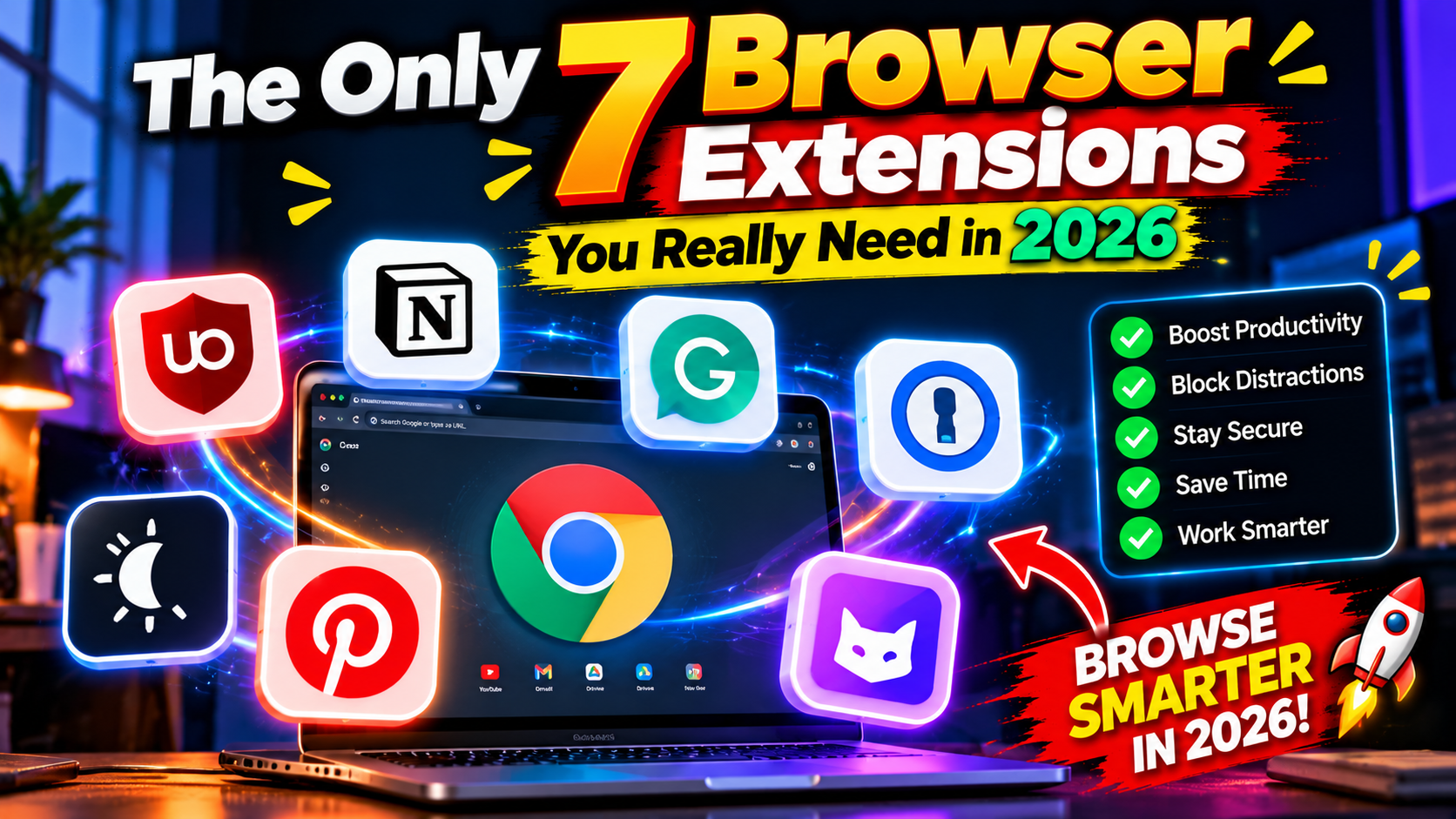
The average person has 20+ browser extensions installed and uses maybe three. The rest sit there slowing down every page load — and a disturbing number are quietly harvesting browsing data in the background. The fix is a ruthless audit: cut down to the few that earn their place. Do it and your browser has never felt faster. Here are seven extensions worth keeping — the ones worth reinstalling on a fresh PC without hesitation.
1. uBlock Origin — The Non-Negotiable
If you install one extension from this list, make it this one. uBlock Origin blocks ads, trackers, and pop-ups without breaking websites or selling your data — unlike some “ad blockers” that take money to whitelist advertisers. Pages load visibly faster. It’s free, open-source, and the single highest-impact extension in existence. Grab it from the Chrome Web Store or Firefox Add-ons.
2. Bitwarden — Because Your Passwords Are a Mess
Let’s be honest: your passwords are a mess. Bitwarden is the free password manager that fixes it — unlimited passwords, syncs across devices, generates strong ones you’ll never need to memorize. The browser extension auto-fills logins so smoothly you’ll wonder how you ever lived typing passwords by hand.
3. Dark Reader — For Night Owls
Forces dark mode on every website, intelligently — not the ugly inverted-colors hack of years past. If you browse at night, this saves your eyes real strain. It’s highly customizable per site, so the one site it breaks can be whitelisted in two clicks.
4. Grammarly (or LanguageTool) — Fewer Embarrassing Typos
Even people who write for a living catch things with it daily. Grammarly’s free tier handles grammar and spelling everywhere you type — emails, docs, comment boxes. Privacy-conscious? LanguageTool is the open-source alternative, and it’s gotten quite good.
5. OneTab — For Tab Hoarders
Got 47 tabs open “to read later”? (You won’t.) OneTab collapses them into a single list with one click, and your RAM breathes again. Be honest with yourself here: this extension is an intervention disguised as a tool. And it works.
6. SponsorBlock — Skip the Sponsorships
Crowdsourced skipping of sponsor segments, intros, and subscription begging in YouTube videos. It won’t catch everything, but it reclaims an absurd amount of time across a year of watching. Pair it with uBlock Origin and YouTube becomes almost peaceful. Almost.
7. A Screenshot Tool (GoFullPage or Fireshot)
Full-page website screenshots in one click — invaluable for research, bug reports, saving receipts, and documenting things before they disappear. Pick one, learn its keyboard shortcut, done. You’ll use it more than you expect.
What I Deliberately Left Out
No “coupon finder” extensions — they track everything you buy. No VPN extensions from companies you’ve never heard of. No “new tab page” replacements stuffed with ads. Every extension is code running on every page you visit, so treat new installs like hiring someone and handing them keys to your house. Fewer is better, and these seven cover 99% of what extensions are actually good for. More software picks in our PC software section — and if you want AI help inside the browser, see our AI tools guides.
How to Audit Your Current Extensions
Already drowning in extensions? Here’s a ten-minute audit worth doing twice a year. Open your extensions page (chrome://extensions or about:addons) and ask three questions about each one: Do I know what this does? Have I used it in the last month? Do I trust the company behind it? Any “no” means remove it — you can always reinstall later. Pay special attention to extensions you don’t remember installing (bundled junk is real) and anything demanding permission to “read and change all your data on all websites” without an obvious reason. A coupon extension with full-page access isn’t a coupon extension — it’s surveillance with a discount code. Fewer extensions also means fewer attack vectors. Compromised extensions have been used to steal crypto and credentials, so every removal is a small security win too.
The average person has 20+ browser extensions installed and uses maybe three. The rest sit there slowing down every page load — and a disturbing number are quietly harvesting browsing data in the background. The fix is a ruthless audit: cut down to the few that earn their place. Do it and your browser has never felt faster. Here are seven extensions worth keeping — the ones worth reinstalling on a fresh PC without hesitation.
The average person has 20+ browser extensions installed and uses maybe three. The rest sit there slowing down every page load — and a disturbing number are quietly harvesting browsing data in the background. The fix is a ruthless audit: cut down to the few that earn their place. Do it and your browser has never felt faster. Here are seven extensions worth keeping — the ones worth reinstalling on a fresh PC without hesitation.
1. uBlock Origin — The Non-Negotiable
If you install one extension from this list, make it this one. uBlock Origin blocks ads, trackers, and pop-ups without breaking websites or selling your data — unlike some “ad blockers” that take money to whitelist advertisers. Pages load visibly faster. It’s free, open-source, and the single highest-impact extension in existence. Grab it from the Chrome Web Store or Firefox Add-ons.
If you install one extension from this list, make it this one. uBlock Origin blocks ads, trackers, and pop-ups without breaking websites or selling your data — unlike some “ad blockers” that take money to whitelist advertisers. Pages load visibly faster. It’s free, open-source, and the single highest-impact extension in existence. Grab it from the Chrome Web Store or Firefox Add-ons.
2. Bitwarden — Because Your Passwords Are a Mess
Let’s be honest: your passwords are a mess. Bitwarden is the free password manager that fixes it — unlimited passwords, syncs across devices, generates strong ones you’ll never need to memorize. The browser extension auto-fills logins so smoothly you’ll wonder how you ever lived typing passwords by hand.
Let’s be honest: your passwords are a mess. Bitwarden is the free password manager that fixes it — unlimited passwords, syncs across devices, generates strong ones you’ll never need to memorize. The browser extension auto-fills logins so smoothly you’ll wonder how you ever lived typing passwords by hand.
3. Dark Reader — For Night Owls
Forces dark mode on every website, intelligently — not the ugly inverted-colors hack of years past. If you browse at night, this saves your eyes real strain. It’s highly customizable per site, so the one site it breaks can be whitelisted in two clicks.
Forces dark mode on every website, intelligently — not the ugly inverted-colors hack of years past. If you browse at night, this saves your eyes real strain. It’s highly customizable per site, so the one site it breaks can be whitelisted in two clicks.
4. Grammarly (or LanguageTool) — Fewer Embarrassing Typos
Even people who write for a living catch things with it daily. Grammarly’s free tier handles grammar and spelling everywhere you type — emails, docs, comment boxes. Privacy-conscious? LanguageTool is the open-source alternative, and it’s gotten quite good.
Even people who write for a living catch things with it daily. Grammarly’s free tier handles grammar and spelling everywhere you type — emails, docs, comment boxes. Privacy- conscious? LanguageTool is the open-source alternative, and it’s gotten quite good.
5. OneTab — For Tab Hoarders
Got 47 tabs open “to read later”? (You won’t.) OneTab collapses them into a single list with one click, and your RAM breathes again. Be honest with yourself here: this extension is an intervention disguised as a tool. And it works.
Got 47 tabs open “to read later”? (You won’t.) OneTab collapses them into a single list with one click, and your RAM breathes again. Be honest with yourself here: this extension is an intervention disguised as a tool. And it works.
6. SponsorBlock — Skip the Sponsorships
Crowdsourced skipping of sponsor segments, intros, and subscription begging in YouTube videos. It won’t catch everything, but it reclaims an absurd amount of time across a year of watching. Pair it with uBlock Origin and YouTube becomes almost peaceful. Almost.
Crowdsourced skipping of sponsor segments, intros, and subscription begging in YouTube videos. It won’t catch everything, but it reclaims an absurd amount of time across a year of watching. Pair it with uBlock Origin and YouTube becomes almost peaceful. Almost.
7. A Screenshot Tool (GoFullPage or Fireshot)
Full-page website screenshots in one click — invaluable for research, bug reports, saving receipts, and documenting things before they disappear. Pick one, learn its keyboard shortcut, done. You’ll use it more than you expect.
Full-page website screenshots in one click — invaluable for research, bug reports, saving receipts, and documenting things before they disappear. Pick one, learn its keyboard shortcut, done. You’ll use it more than you expect.
What I Deliberately Left Out
No “coupon finder” extensions — they track everything you buy. No VPN extensions from companies you’ve never heard of. No “new tab page” replacements stuffed with ads. Every extension is code running on every page you visit, so treat new installs like hiring someone and handing them keys to your house. Fewer is better, and these seven cover 99% of what extensions are actually good for. More software picks in our PC software section — and if you want AI help inside the browser, see our AI tools guides.
No “coupon finder” extensions — they track everything you buy. No VPN extensions from companies you’ve never heard of. No “new tab page” replacements stuffed with ads. Every extension is code running on every page you visit, so treat new installs like hiring someone and handing them keys to your house. Fewer is better, and these seven cover 99% of what extensions are actually good for. More software picks in our PC software section — and if you want AI help inside the browser, see our AI tools guides.
How to Audit Your Current Extensions
Already drowning in extensions? Here’s a ten-minute audit worth doing twice a year. Open your extensions page (chrome://extensions or about:addons) and ask three questions about each one: Do I know what this does? Have I used it in the last month? Do I trust the company behind it? Any “no” means remove it — you can always reinstall later. Pay special attention to extensions you don’t remember installing (bundled junk is real) and anything demanding permission to “read and change all your data on all websites” without an obvious reason. A coupon extension with full-page access isn’t a coupon extension — it’s surveillance with a discount code. Fewer extensions also means fewer attack vectors. Compromised extensions have been used to steal crypto and credentials, so every removal is a small security win too.
Already drowning in extensions? Here’s a ten-minute audit worth doing twice a year. Open your extensions page (chrome://extensions or about:addons) and ask three questions about each one: Do I know what this does? Have I used it in the last month? Do I trust the company behind it? Any “no” means remove it — you can always reinstall later. Pay special attention to extensions you don’t remember installing (bundled junk is real) and anything demanding permission to “read and change all your data on all websites” without an obvious reason. A coupon extension with full-page access isn’t a coupon extension — it’s surveillance with a discount code. Fewer extensions also means fewer attack vectors. Compromised extensions have been used to steal crypto and credentials, so every removal is a small security win too.
Related Reading
Keep exploring: Brave Browser Review: I Ditched Chrome for 30 Days, 5 Free Antivirus Programs Tested: Which One Is Actually Worth It?, and How to Install WordPress Plugins: 3 Methods Explained.