Google Trends Now Uses Gemini to Suggest Keywords: A Simple Guide for Creators
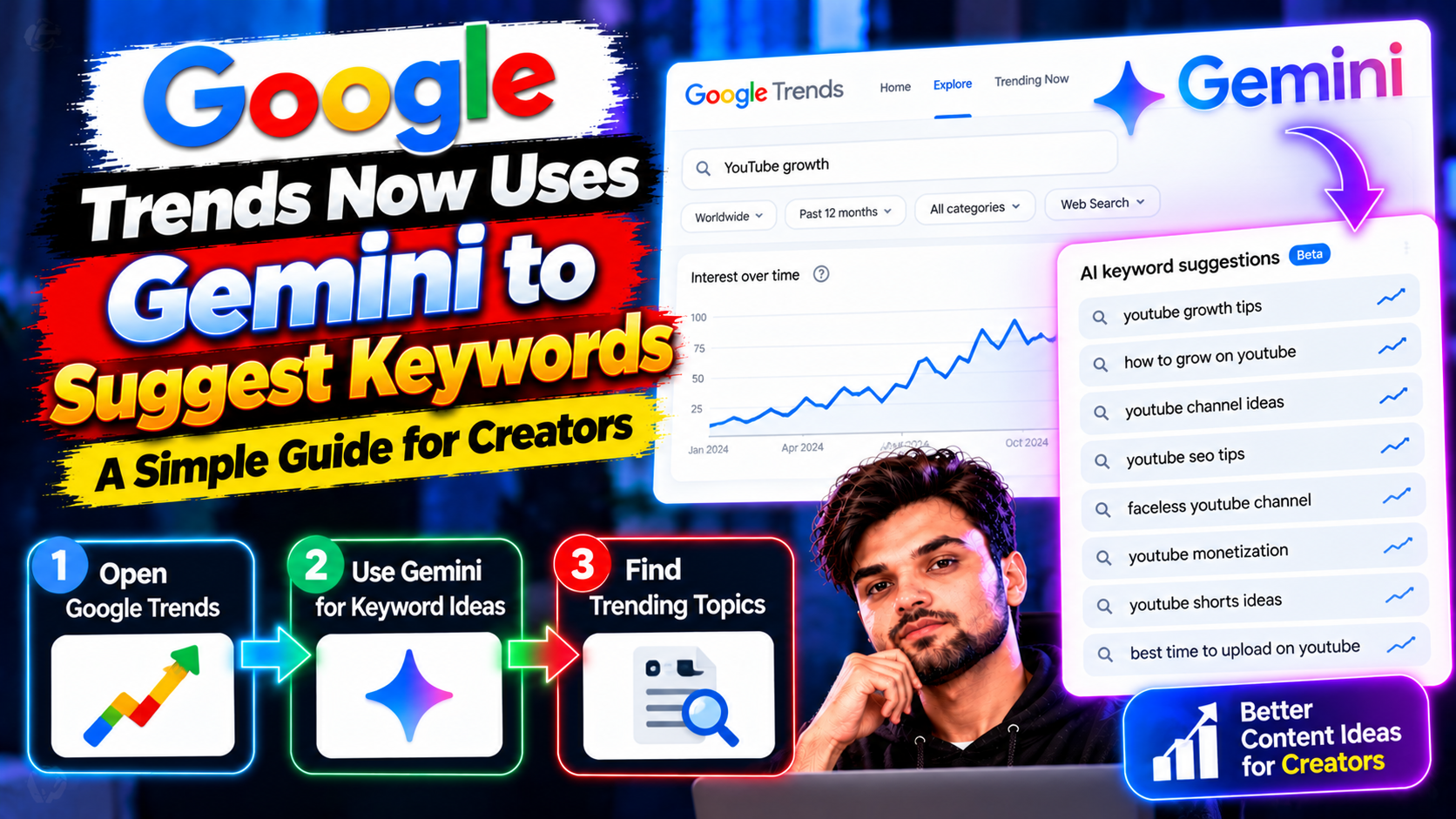
Google Trends has been around since 2006, and creators use it to check what people search for. Now it has a Gemini-powered helper: type what you want to explore in plain words, and it suggests related keywords for you. That small change saves a lot of guessing at the start of a video or article.
How it works
You type a natural-language query — something like “people fixing old laptops at home” — and Gemini suggests up to eight relevant keywords, according to Gadgets 360’s report on the rollout. You can then compare those topics and see how interest has moved over time. It does not write your article or pick your title for you. It gives you a better starting list than a blank search box.
A quick way to use it
Start with your topic, not a keyword you already like. Let the suggestions show you what people actually type. Pick one main keyword for your piece, then check two or three related ones for follow-up pieces. If a suggestion has no real search interest, drop it — a clever phrase with no audience does not help. Keep your own judgement in charge: Trends shows interest, not quality.
What it does not do
Trends will not tell you if a topic is already covered on your site, and it will not check facts for you. A rising keyword can still be a bad fit if your audience does not care about it, or if you cannot cover it well. Use it at the idea stage, then do the normal work: check your own posts for duplicates, write something genuinely useful, and link it to related pieces on your site.
Try this today
Pick one topic you plan to cover this week. Run it through Trends, note the suggested keywords, and compare the top two. Then write down the one question your piece must answer in its first paragraph. If you cannot state that question in one line, the topic needs more thought before you start writing.
Gemini in Trends is a helper for the blank-page moment, not a shortcut around good writing. Used that way, it can make your next idea stronger before you type a word.
Sources: Google Trends and Gadgets 360: Google Trends Gemini. Related: SEO Basics: Rank Your First Blog Post and How to Start a Blog in 2026.