How to Write Better ChatGPT Prompts: 7 Techniques That Actually Work
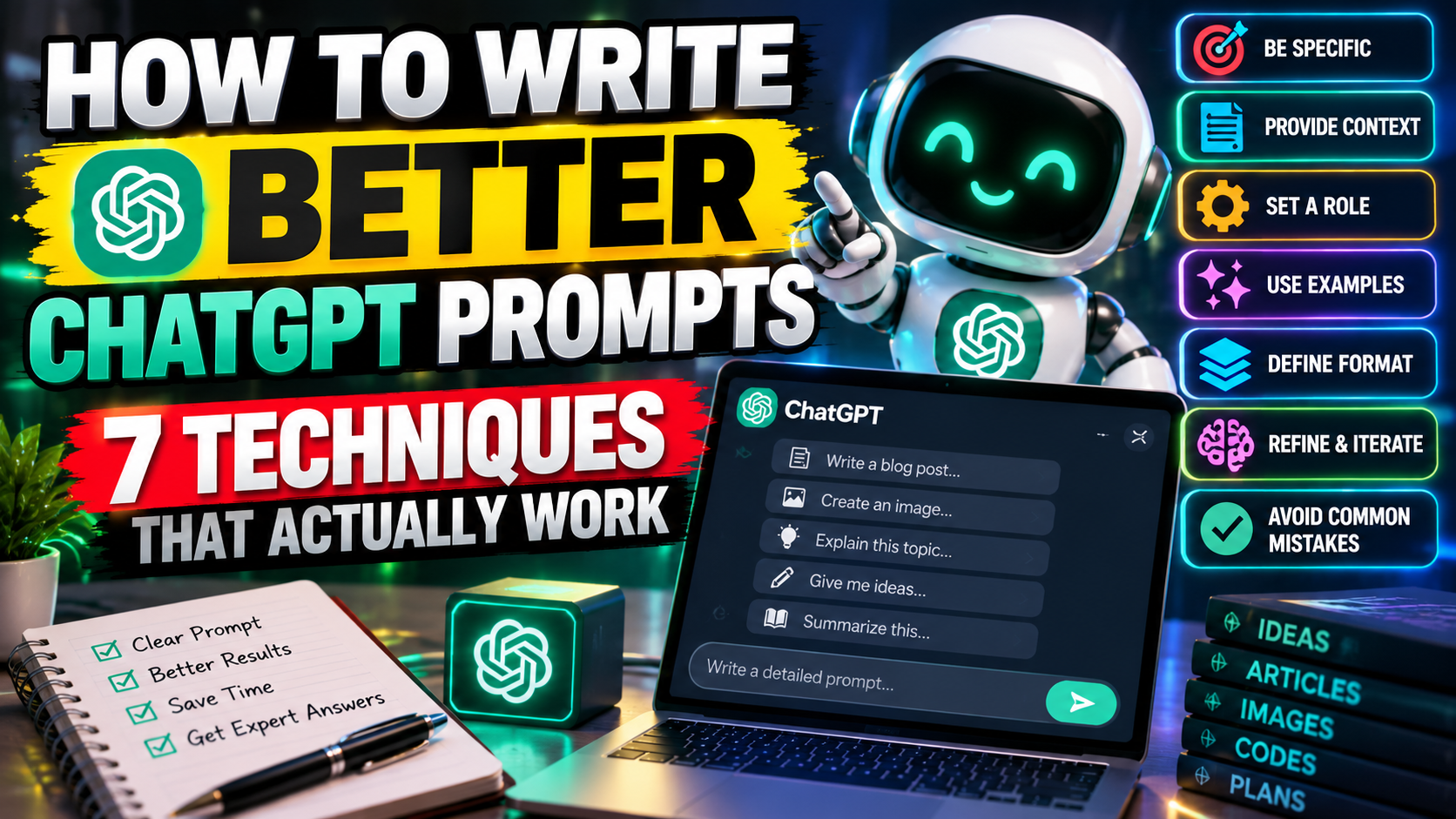
Here’s an uncomfortable truth: most disappointing ChatGPT answers aren’t the model’s fault. They’re the prompt’s fault. If you want to write better ChatGPT prompts, the good news is you don’t need any technical skill — just a few habits that take minutes to learn. Most people type something vague like “write about marketing” and wonder why the result feels generic. Sound familiar? The fix is simpler than you’d think.
1. Be Specific: The Fastest Way to Write Better ChatGPT Prompts
The single biggest upgrade you can make when you write better ChatGPT prompts is specificity. “Write an email” could mean anything. “Write a 150-word follow-up email to a client who missed our Tuesday meeting, polite but firm, asking to reschedule this week” — that’s something the model can actually nail. Before you hit enter, ask yourself: would a smart freelancer know exactly what I want from this sentence alone? If not, add the missing details: length, tone, audience, purpose.
2. Why Context Helps You Write Better ChatGPT Prompts
ChatGPT can’t read your mind, and it doesn’t know your situation. A prompt like “help me plan my week” gets you a generic template. Add two sentences of context — “I’m a freelance designer juggling three client projects, and I do my best work in morning blocks” — and suddenly the answer fits your life. Context is the difference between a textbook answer and advice you’d actually use. When you write better ChatGPT prompts, those background details quietly do half the work for you.
3. Assign It a Role
This one’s almost unfairly effective. Start your prompt with a role: “Act as a senior copywriter.” “You’re a patient math tutor.” “Pretend you’re a career coach.” A role focuses the model’s tone, vocabulary, and priorities in a single line. A “marketing expert” writes differently than a “helpful friend,” and you get to pick which one shows up. Stack a role on top of specifics and context, and you’re already ahead of most prompt writers.
4. Show an Example of What You Want
Ever tried describing a “casual but professional” tone in words? It’s harder than it sounds. Showing is easier. Paste one or two examples of the style, format, or structure you’re after — a sample headline, a paragraph you like, a bullet list — and say “write in this style.” The model picks up patterns from examples faster than from descriptions. OpenAI’s own prompt engineering guide lists this example-driven approach as one of its core strategies.
5. Spell Out the Format
Don’t leave the shape of the answer to chance. Want bullet points? A table? Under 200 words? Say so. “Compare these two phones in a table with columns for price, battery, and camera” beats “compare these two phones” every time. Format instructions cost you one sentence and save you from reformatting the answer yourself. Cheap trade.
6. Iterate — Treat the First Answer as a Draft
Here’s the mindset shift: prompting is a conversation, not a vending machine. The first answer is a starting point. Follow up with “make it shorter,” “give me three more options,” or “too formal — try again.” Each round sharpens the result, and you’ll often land somewhere better than any single perfect prompt could reach. The people who get the most out of ChatGPT aren’t better at first drafts — they just keep going.
7. Dodge These Common Prompting Mistakes
A few traps worth avoiding. Don’t cram two unrelated questions into one prompt — split them. Don’t assume it remembers things from other chats, because each conversation starts fresh. And don’t skip the “why” — telling the model what the answer is for (“this is going in a client proposal”) quietly improves relevance. One more: when an answer feels off, check your prompt before blaming the model. Most of the time, the prompt was missing something.
Your 30-Second Prompting Checklist
Before you hit enter, run through this list:
- Specific: length, tone, audience, and purpose spelled out.
- Context: the background the model needs to answer well.
- Role: who should it be while answering?
- Example: a sample of the style or format you want.
- Format: bullets, table, or word count — stated up front.
If a prompt passes all five, you’re set up to write better ChatGPT prompts than most people ever will.
That’s really all there is to it. Specificity, context, a role, an example, a format, and a willingness to iterate — stack those habits and the quality of your answers climbs fast. Want to go deeper? OpenAI’s official prompting guide is worth a read, and our AI tools section has more ways to put these skills to work. For step-by-step walkthroughs, browse our tutorials.
Related Reading
Keep exploring: 12 Best Free AI Tools in 2026 (No Credit Card Required), 10 AI Productivity Hacks That Save Me 5 Hours a Week, and 5 Free AI Tools That Actually Save You Time Every Day.